
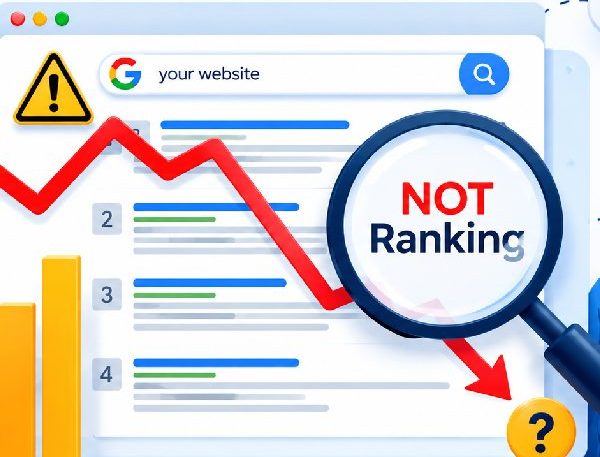
If Google is not showing your website in search results, you could be missing opportunities to attract visitors and potential customers. Understanding why Google is not showing your website is the first step towards identifying the problem and improving your website’s visibility.
Table of Contents
ToggleSeveral issues can prevent your website from appearing on Google, including indexing problems, incorrect settings, technical errors and poor-quality content. The good news is that many of these issues can be identified and resolved with the right approach.
Kenya Website Designers helps businesses improve their website performance, technical SEO and search engine visibility.
1. Your website has not been indexed yet
One common reason why Google may not be showing your website in search results is that the pages have not been indexed.
Indexing happens when Google processes a page and adds it to its search index. If a page has not been indexed, it generally will not appear in Google’s search results.
This can happen when:
Your website is new.
Google has not discovered your pages.
Your sitemap has not been submitted.
Your website has few internal links.
Google has not finished crawling your website.
How to fix it
Open Google Search Console and use the URL Inspection tool to check whether your important pages are indexed. If a page is eligible for indexing but is not indexed, you can request indexing through the tool.
You should also submit your XML sitemap in Search Console and ensure your website has clear navigation and links between related pages.
2. Your website is blocking search engines
Your website may have settings that prevent Google from crawling or indexing its pages. This can happen accidentally during website development, redesign or maintenance.
For example, WordPress includes a setting that discourages search engines from indexing a website. If this option is enabled unintentionally, it can affect your website’s visibility.
Other possible problems include:
A
noindexinstruction on important pages.Incorrect robots.txt rules.
Password protection that prevents public access.
Server restrictions that prevent Google from accessing pages.
How to fix it
If you use WordPress, go to Settings → Reading and check whether “Discourage search engines from indexing this site” is enabled. If your website is ready to appear in search results, ensure this option is disabled.
You should also review your robots.txt file and check important pages for unintended noindex instructions. Use Google Search Console to identify any crawling or indexing issues.
3. Your website has technical errors
Technical problems can prevent Google from accessing or processing your website correctly. Even if your content is useful, serious technical issues may affect whether your pages appear in search results.
Common technical problems include:
Pages returning server errors.
Broken links and missing pages.
Incorrect redirects.
Slow page loading.
Mobile usability problems.
Duplicate URLs or conflicting canonical tags.
For example, if an important service page returns a 404 error, visitors and search engines may not be able to access the content.
How to fix it
Check your website regularly for broken links, server errors and incorrect redirects. Use Google Search Console to review indexing reports and PageSpeed Insights to identify performance issues.
If you recently redesigned or migrated your website, verify that important URLs still work and that redirects point to the correct pages.
Working with a professional website developer can help you identify technical problems that are difficult to diagnose on your own.
4. Your website content is thin or duplicated
Google needs to understand what each page offers and whether it provides value to people searching for information. Pages with very little useful content or substantial duplication may struggle to gain visibility.
Content problems can include:
Service pages with only a few sentences.
Blog posts that do not answer the reader’s question.
Duplicate content across several pages.
Outdated or inaccurate information.
Content written mainly to repeat keywords.
Adding more words alone will not guarantee better rankings. Your content should answer relevant questions, explain your services clearly and provide useful information that matches what visitors are looking for.
How to fix it
Review your important pages and identify where information is missing, outdated or repeated. Expand service pages with relevant details, explain your products or services clearly, and publish useful blog articles that address customer questions.
Use relevant keywords naturally in page titles, headings and content. Avoid keyword stuffing, and make sure each page has a clear purpose.
5. Your website is indexed but does not rank prominently
Sometimes Google has indexed your website, but it appears far down the search results or does not show up for the keywords you expect.
Being indexed does not guarantee that your website will rank highly. Google considers many factors when deciding which pages to display for a particular search.
Your website may struggle to rank because:
Other websites provide more useful or relevant information.
Your pages do not match the search intent.
Your website has limited relevant backlinks.
Your content does not clearly target your intended audience.
Your competitors have stronger pages for the same keywords.
How to fix it
Research the search terms your potential customers use and improve your pages to match their needs. Create useful content, optimise page titles and headings, and add relevant internal links between related pages.
You can also work on earning quality backlinks from reputable, relevant websites. Monitor your performance in Google Search Console to identify the queries and pages that need improvement.
SEO takes time, so review your results consistently rather than expecting immediate changes.
How to find out why Google is not showing your website
If you are unsure why Google is not showing your website in search results, follow these steps:
Check whether your website is indexed. Search Google for
site:yourdomain.comas a quick initial check. This is not a complete indexing report, so confirm the results in Google Search Console.Inspect important URLs. Use the URL Inspection tool to review their indexing status.
Check for technical issues. Review crawling errors, server responses, redirects and indexing restrictions.
Review your content. Ensure your pages provide relevant, useful information for your target audience.
Monitor search performance. Use Search Console to review impressions, clicks, search queries and page performance.
These checks can help you narrow down the cause and determine what needs attention first.
How Kenya Website Designers can help
If Google is not showing your website in search results, a website and SEO review can help identify the underlying problems.
Kenya Website Designers provides website design, website maintenance and SEO services to help businesses improve their online presence. Our services can support technical SEO checks, on-page optimisation, content improvements, website performance and indexing troubleshooting.
Whether you have a new WordPress website or an established business website that is struggling to attract organic traffic, addressing the right issues can help improve its visibility over time.
